Work with product models
Set up family variants, create product models, and add variant products so shared catalog content is enriched once.
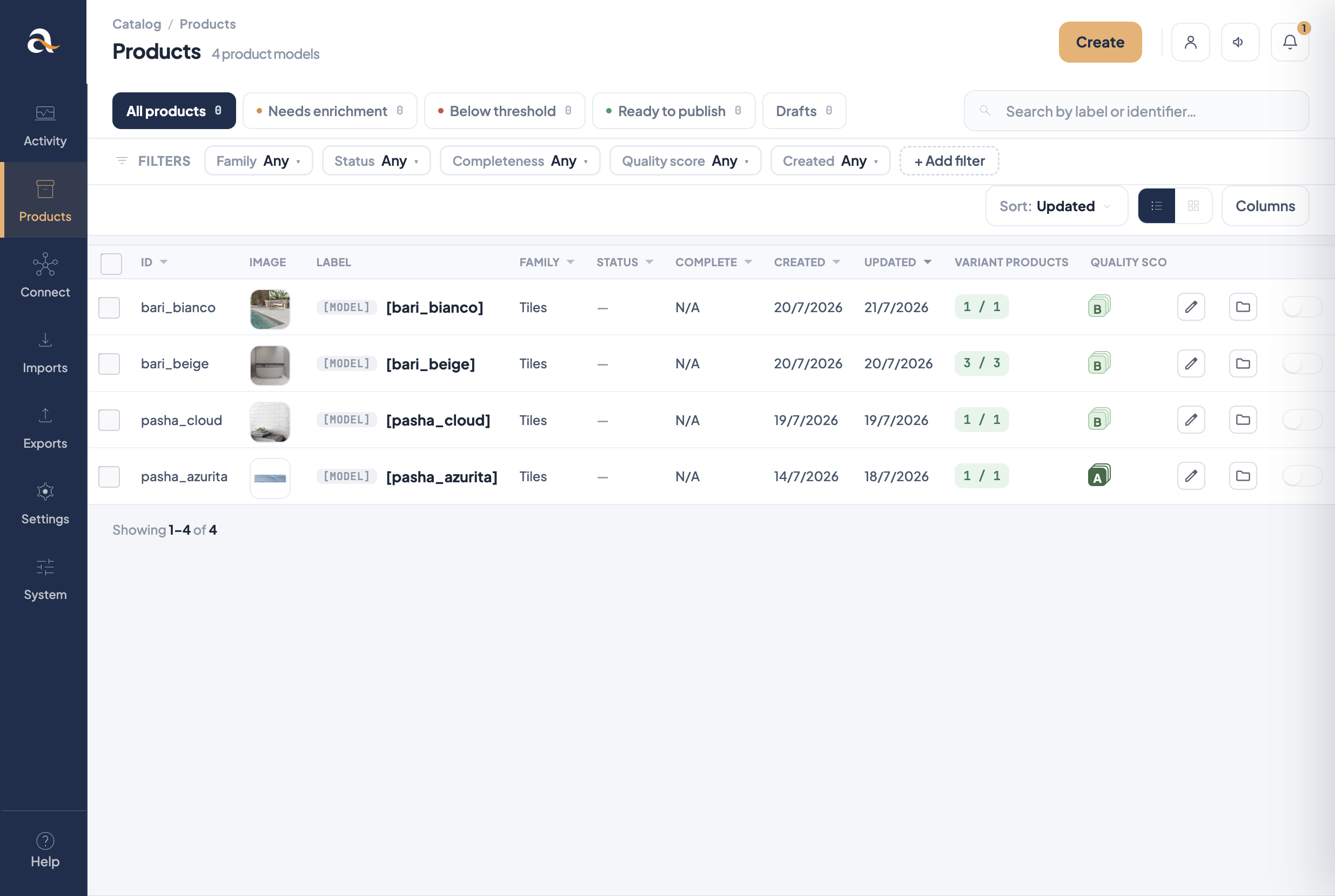
[MODEL] marker; Variant products shows child counts.Before you start
- Create the attributes that will be used as a variant axis (for example Colour, Finish, Size) — usually simple select.
- Create other attributes the range needs (description, images, etc.).
- Open Settings → Families, edit the family (e.g. Tiles), and add a family variant: choose levels, the attributes used as a variant axis for each level, and which attributes are common vs variant-level.
- Save the family. You cannot create a product model until a family variant exists.
Design tip
Prefer one or two variation levels. Extra variant axis attributes explode the number of SKUs and
make enrichment harder.
Create a product model
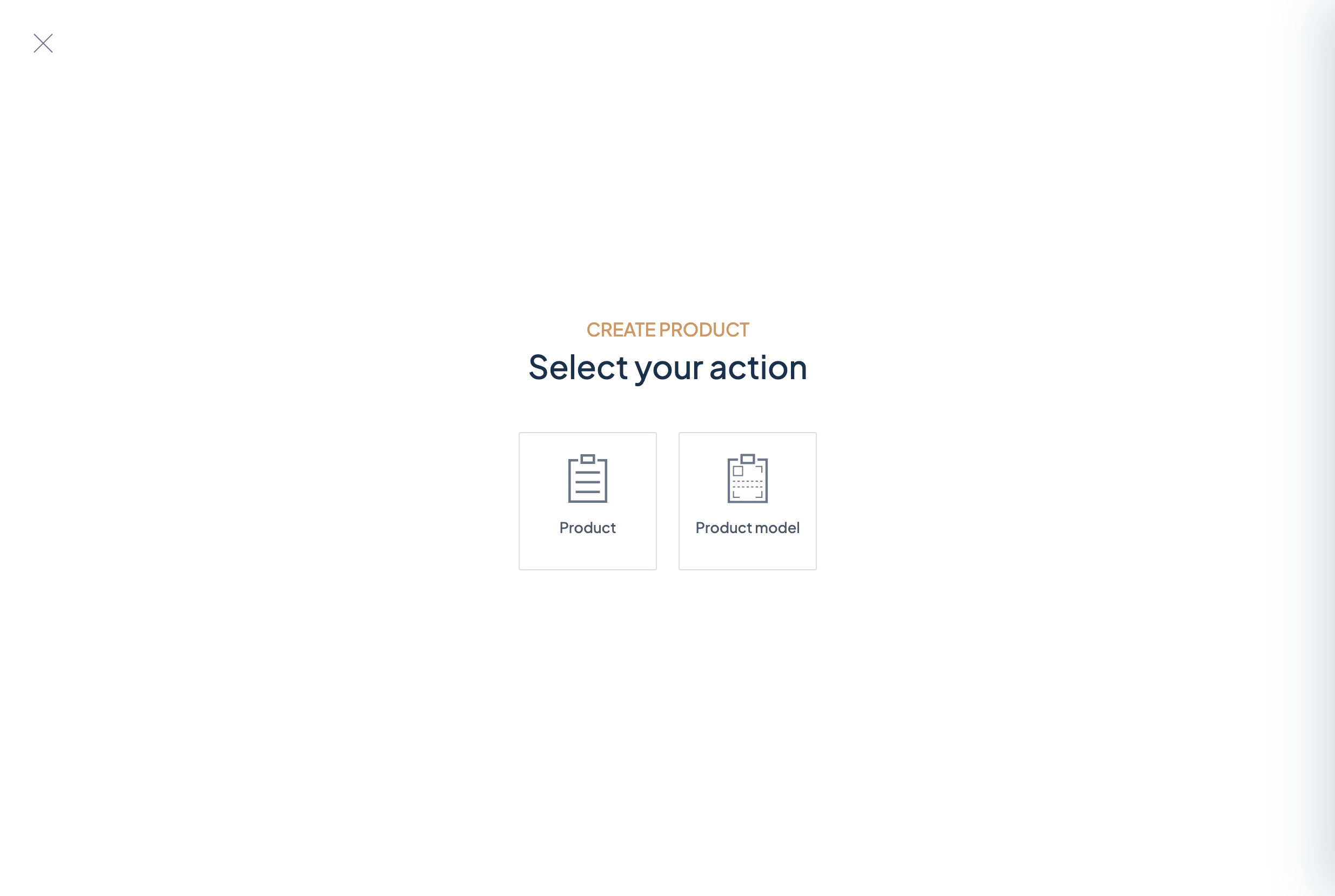
- Open Products.
- Click Create.
- On Select your action, choose Product model (not Product).
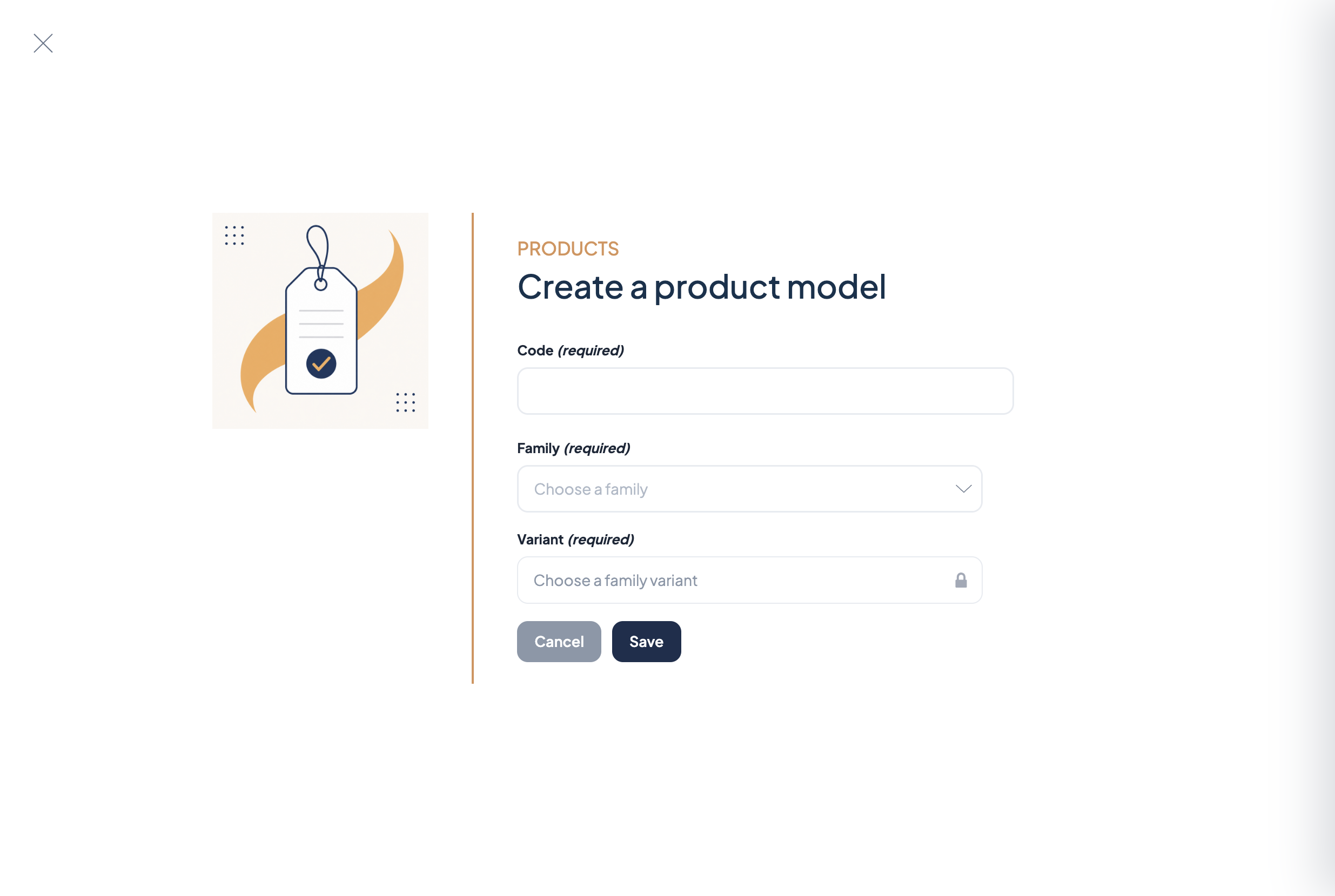
- Enter a stable Code (e.g.
pasha_azurita). - Choose a family, then Choose a family variant.
- Click Save, then enrich shared fields on the model (name, description, media, categories…).
Add variant products
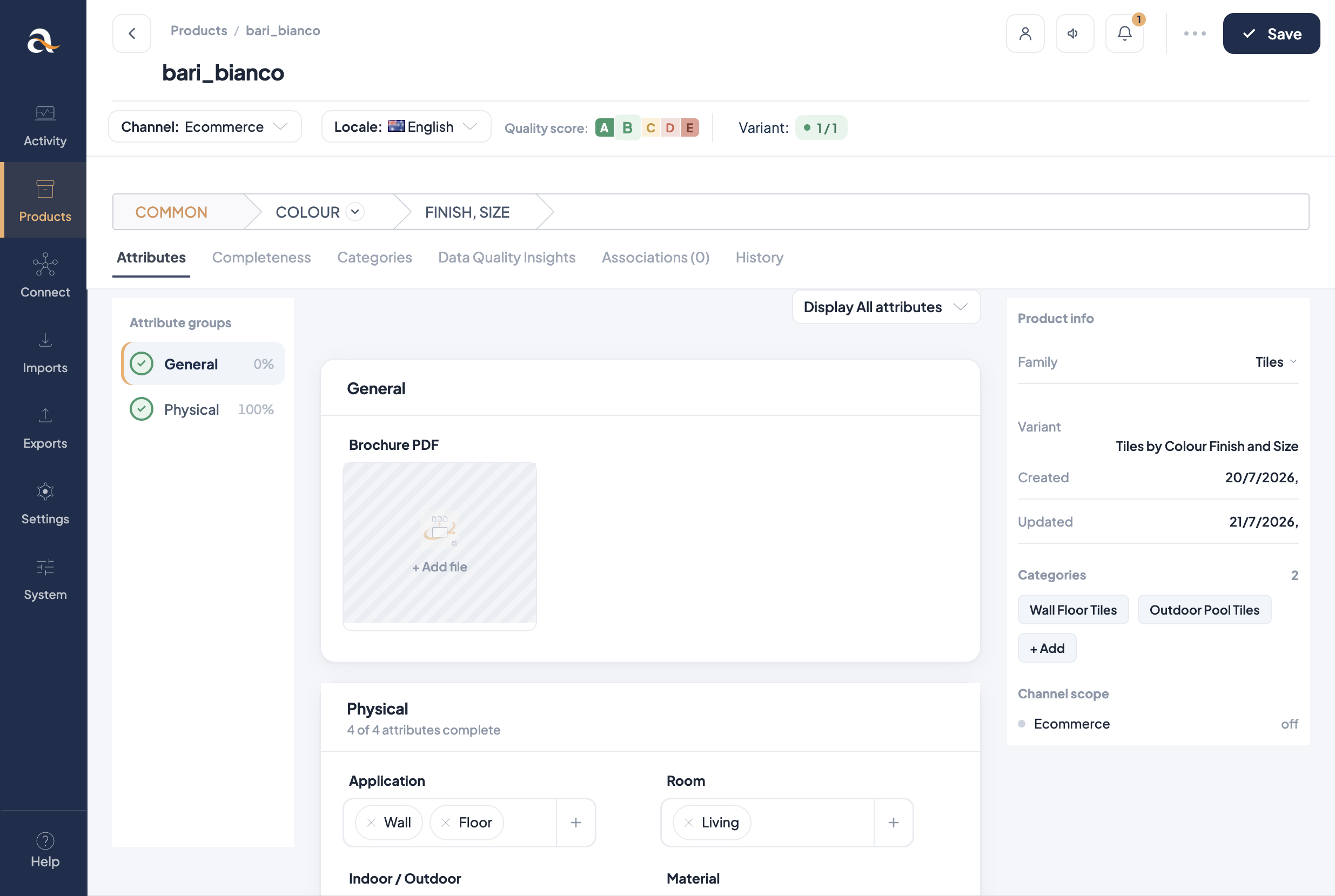
- From the product model, add a variant product (or create a product under that model).
- Give the variant its own identifier (the sellable SKU).
- Set the variant axis values (e.g. finish + size) required by the family variant.
- Fill any attributes that belong only at the variant level.
- Save and check completeness for your channel and locale (e.g. Ecommerce · English (Australia)).
Day-to-day enrichment
- Edit marketing copy and shared images on the model so every variant stays consistent.
- Edit SKU-specific data on the variant.
- In the grid, filter or search by model code; open children from the model’s variant list.
- Bulk actions can Add to an existing product model or Change the parent product model when you need to reorganise.
Stone 3 workflow
1) Family Tiles has a family variant with a variant axis for the tile range.
2) Create → Product model → code pasha_azurita, family Tiles, then the family variant.
3) Add variant SKUs for each finish/size combination sold online.
4) Connect / export sends each variant as a product; shared content comes from the model.